





HOME DESIGN TOOL
Upload a photo of your home, explore colors and finishes in real time, and walk into your free consultation knowing exactly what you love.
See the Difference
Our free home visualizer lets you see exactly how new exterior colors and finishes will look on your actual home — not a generic stock photo. Try dozens of combinations, save your favorites, and share them with family before you commit to anything.
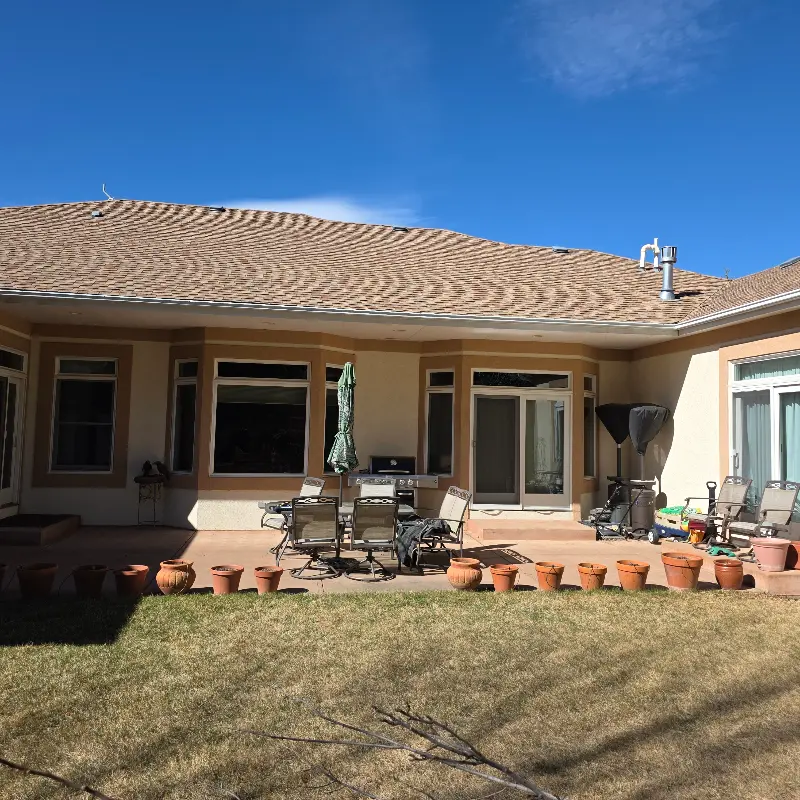
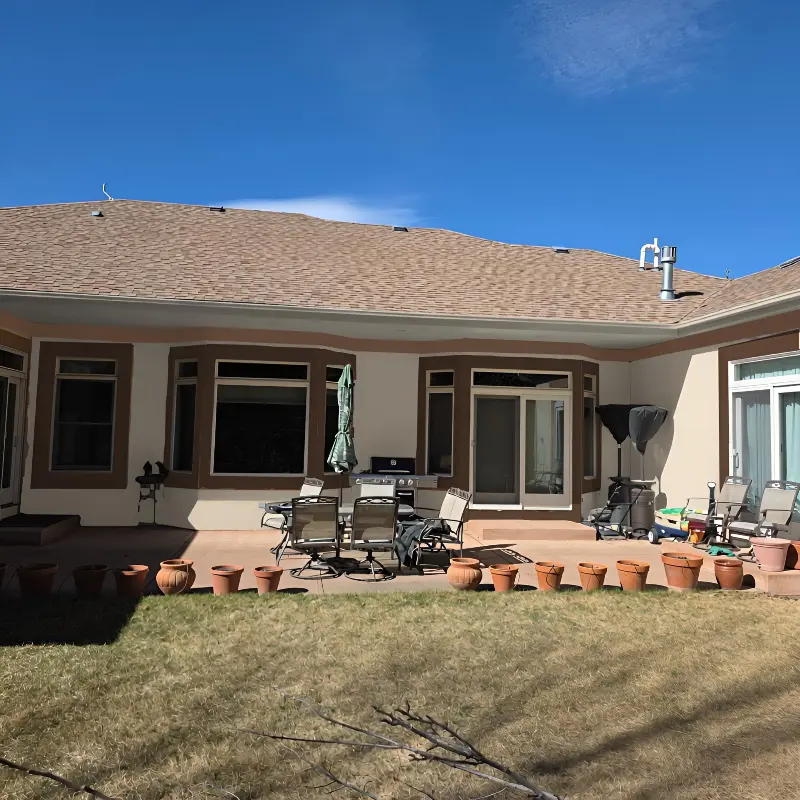
Color choices are one of the biggest decisions in any exterior painting project. Our visualizer removes the guesswork so you and your family feel great about every choice before our crew ever shows up.
A note about color visualization:
This tool is a great starting point for exploring color options, but on-screen results may vary from the final appearance due to monitor settings, lighting conditions, and surface texture. This tool does not guarantee the outcome of any paint or color selection. We always recommend ordering physical paint samples and viewing them on your home before making your final decision.
Step By Step
Ready in under two minutes. Works right in your browser — no app or download needed.
01
Find a Photo of Your Home
Search your address on Google Street View or Zillow for a great starting image. Or take your own — aim for a straight-on shot on an overcast day or when the sun is high. Watch the quick photo guide →
02
Upload to the Visualizer
Enter your name and email, then upload your photo. The tool automatically maps every surface of your home in about 45 seconds — no manual tracing needed.
03
Explore Colors & Finishes
Browse our full color and product library and watch your selections appear instantly on your home. Mix and match trim, siding, and accent colors until you love what you see.
04
Book a Free Consultation
Bring your saved designs to a no-obligation consultation. Our Visual Reality Consultants (VRCs) will help refine your vision, confirm product availability, and provide a detailed quote.
The visualizer is free, takes two minutes, and requires no commitment whatsoever.
Common Questions
Everything you need to know before you get started.
Is the visualizer really free?
+
Yes — completely free and no-obligation. You’ll enter your name and email to upload your photo, and a member of our team may reach out to offer help, but there’s zero pressure to book anything.
What kind of photo works best?
+
A straight-on photo of the front of your home works best. Google Street View and Zillow are great sources. If you’re taking your own photo, aim for an overcast day or when the sun is high and shining on the front of the house to avoid harsh shadows.
How accurate are the renderings?
+
The visualizer provides a very realistic preview of how colors will look on your specific home. Colors on screen may vary slightly from physical paint due to monitor settings, lighting, and sheen levels. Our VRCs will show you actual paint samples at your consultation to confirm.
Can I save and share my designs?
+
Yes! You can save and download your rendered designs to share with a spouse or bring directly to your consultation. Our team loves seeing what you created — it helps us hit the ground running.
What happens after I use the visualizer?
+
One of our team members will reach out to see if you have questions or would like to schedule a free Design Consultation. Our Visual Reality Consultants (VRCs) will review your designs, confirm product availability in your area, and provide a detailed project quote.
Do you serve my area?
+
We serve Boulder, Fort Collins, Longmont, Loveland, Greeley, and dozens of communities throughout Northern Colorado. View our full service area →
Start with the free visualizer, then let our team bring your vision to life.
OUR AWARDS & ACCREDITATIONS